Free and open source
Learn software design in order. Plan it around your week.
257 topics from Java basics to system design, with 32 React machine coding problems, plus a study plan and a daily planner that fit them into the time you have.
- 8 stages
- 1304 source files
- 114 diagrams
- 17 themes
What you get
Learn it, plan it, keep it.
The handbook, the planners and the practice tools all work from one record of your progress.
- New · Study plansPlan your prep
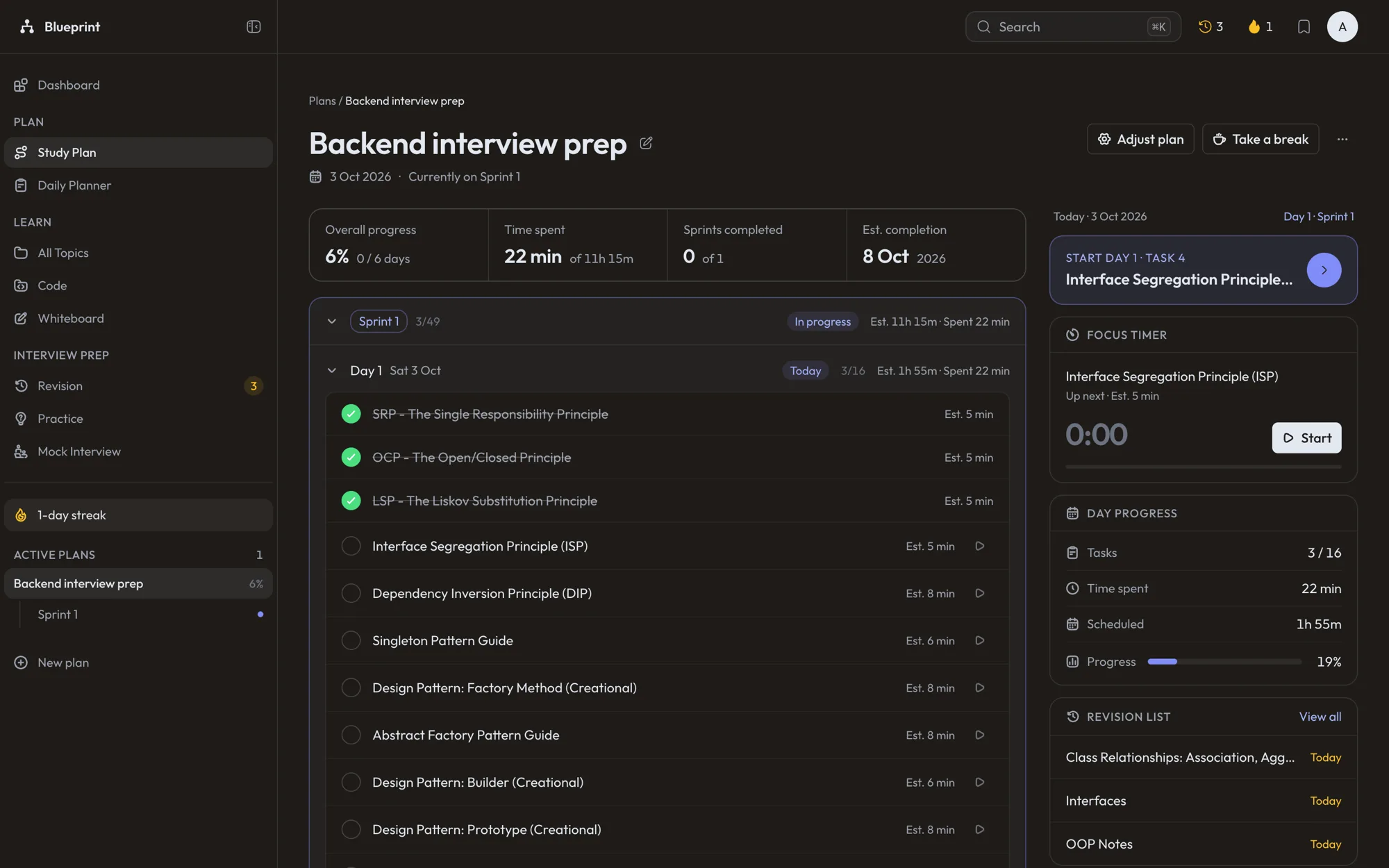
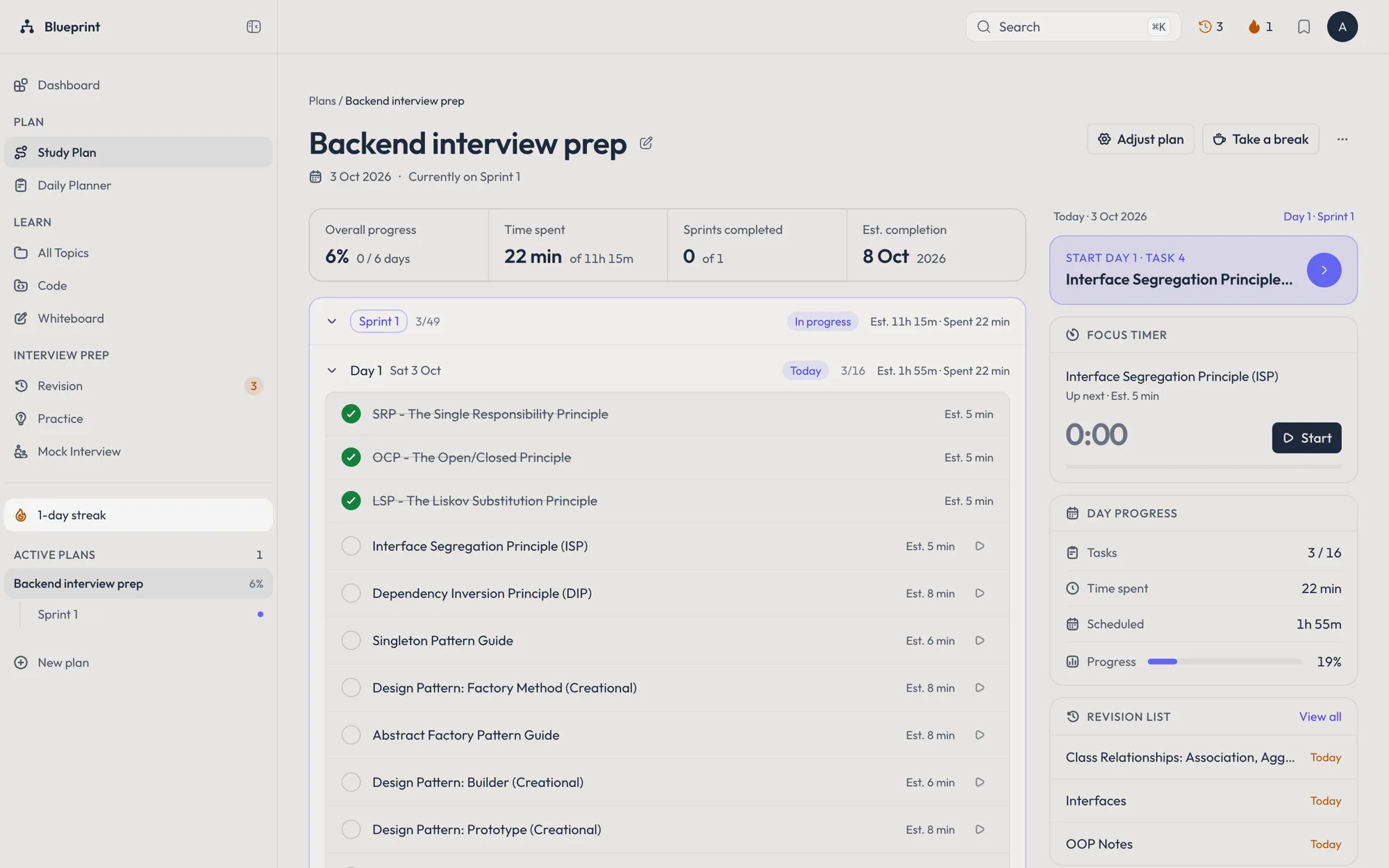
A study plan that fits your week
Pick the stages you need and how much time you have each day. The plan splits them into sprints and daily topics, tracks the time you spend, keeps a streak, and forecasts when you will finish. It pauses itself if you go quiet, and you can take a break in one tap. Free account required.
- New · Daily plannerOpen the planner
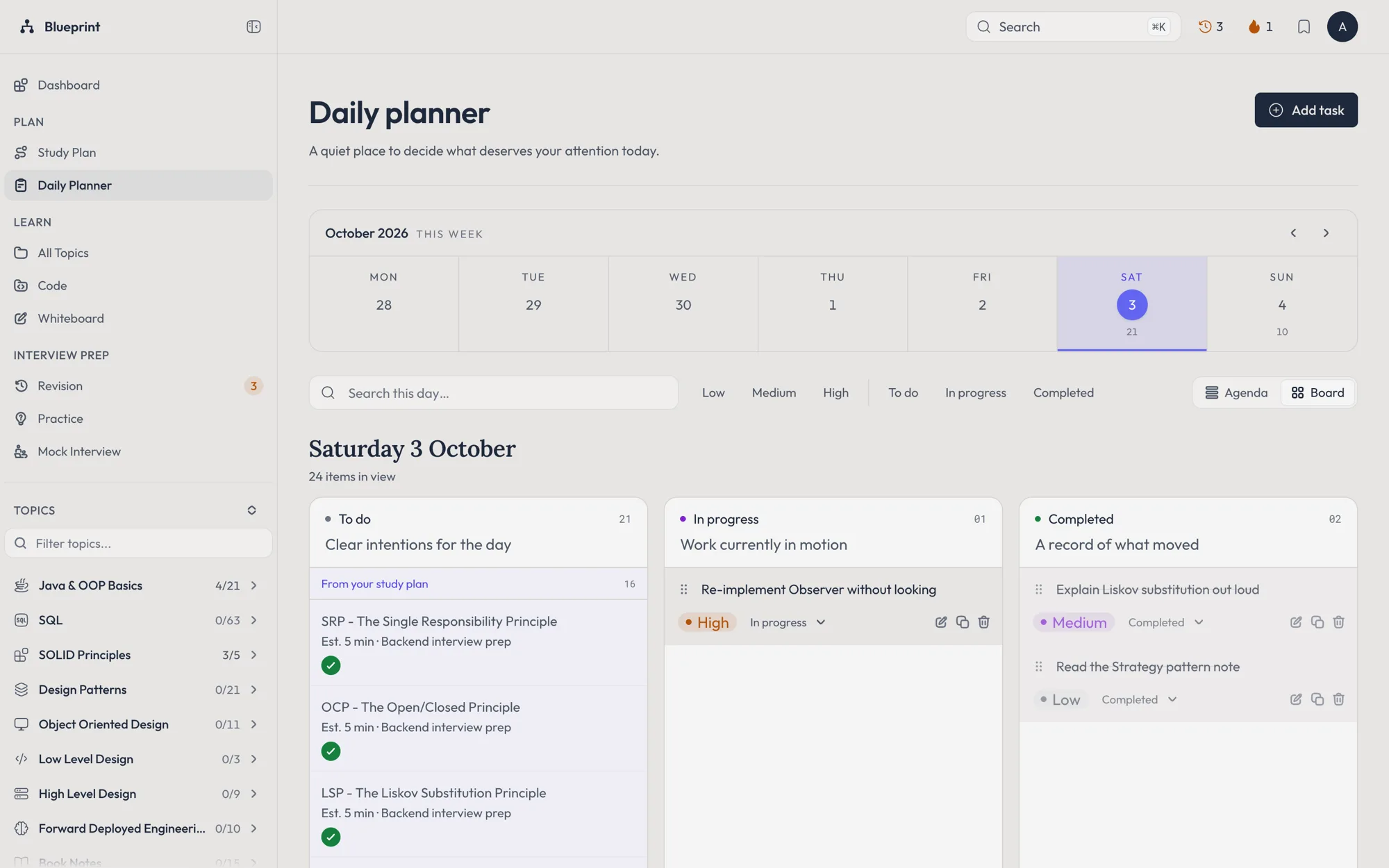
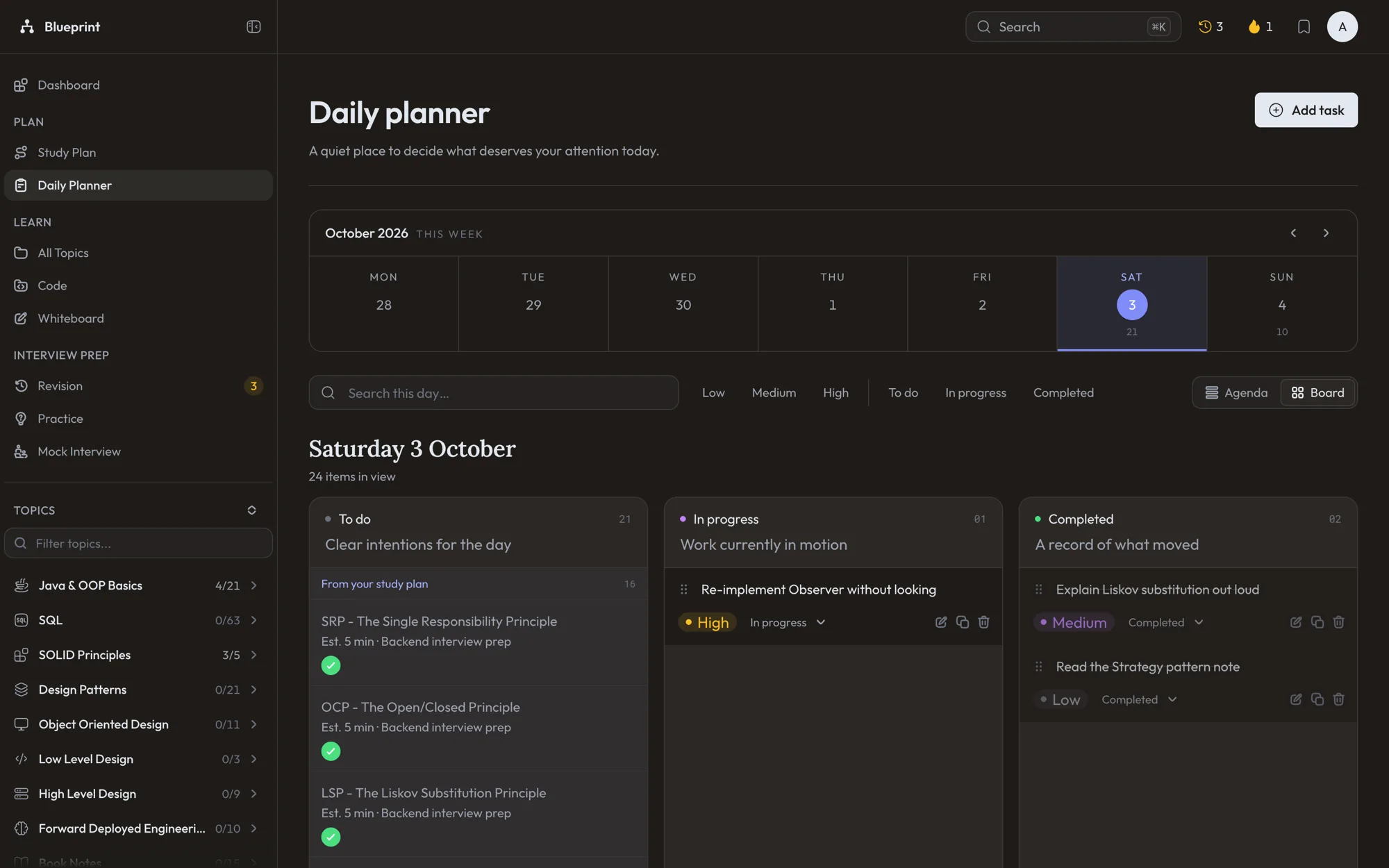
A daily planner for everything else
Tasks by day across the week, with priorities, estimates, repeats and a quick add that reads a line like Revise CAP @tomorrow !high 30m. Missed tasks roll forward, and the study-plan topics and revisions due that day sit alongside. Free account required.
- Handbook
Notes, diagrams and code you can run
Every topic explains the idea, draws it, and ships code that runs: Java projects, SQL you can try in the browser, and React apps.
- PracticeStart a drill
Interview mode and drills
Interview mode highlights the questions you are likely to be asked. Drill them one at a time: answer, reveal, rate yourself.
- Revision
Reading it once is not knowing it
Finished topics come back on a widening schedule. Still shaky? It drops back to the start.
- Finishday 0
- Review 1+1 day
- Review 2+3 days
- Review 3+7 days
- Review 4+21 days
- Review 5+60 days
- Sync
Two devices, no lost edits
Notes, bookmarks and confidence ratings merge field by field, and the newer change wins. Edits made offline queue up and send when you reconnect. Your color theme and fonts follow you too.
- Mock interviewsBrowse the problems
Run the whole interview, not just the answers
54 system design problems in five timed phases on a whiteboard. Score each phase against a reference answer and watch your scores over time. Free account required to run one.
- WhiteboardOpen the whiteboard
Sketch a design before you code it
A canvas with architecture stencils for load balancers, caches, queues and databases. Export to PNG, SVG or .excalidraw.
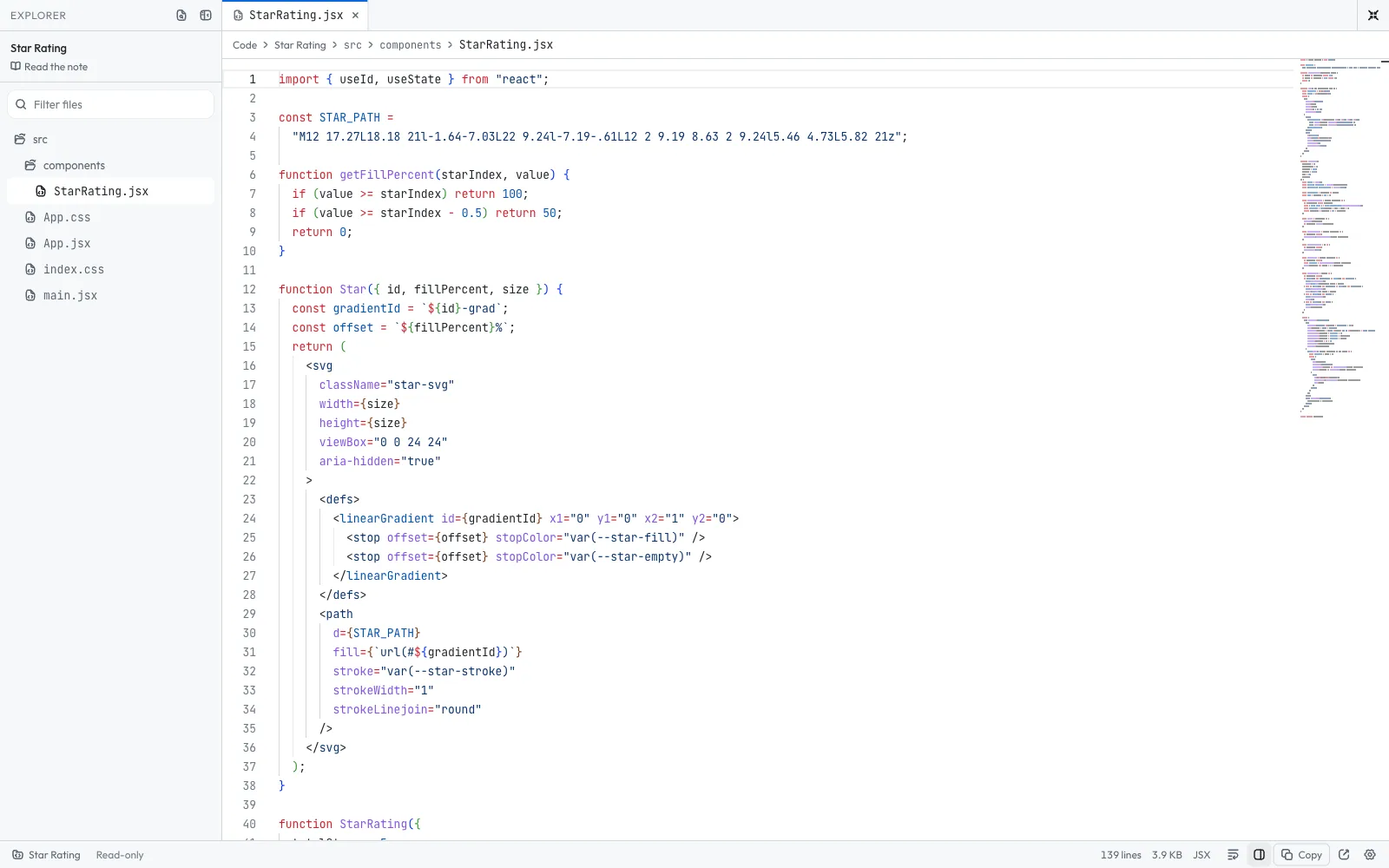
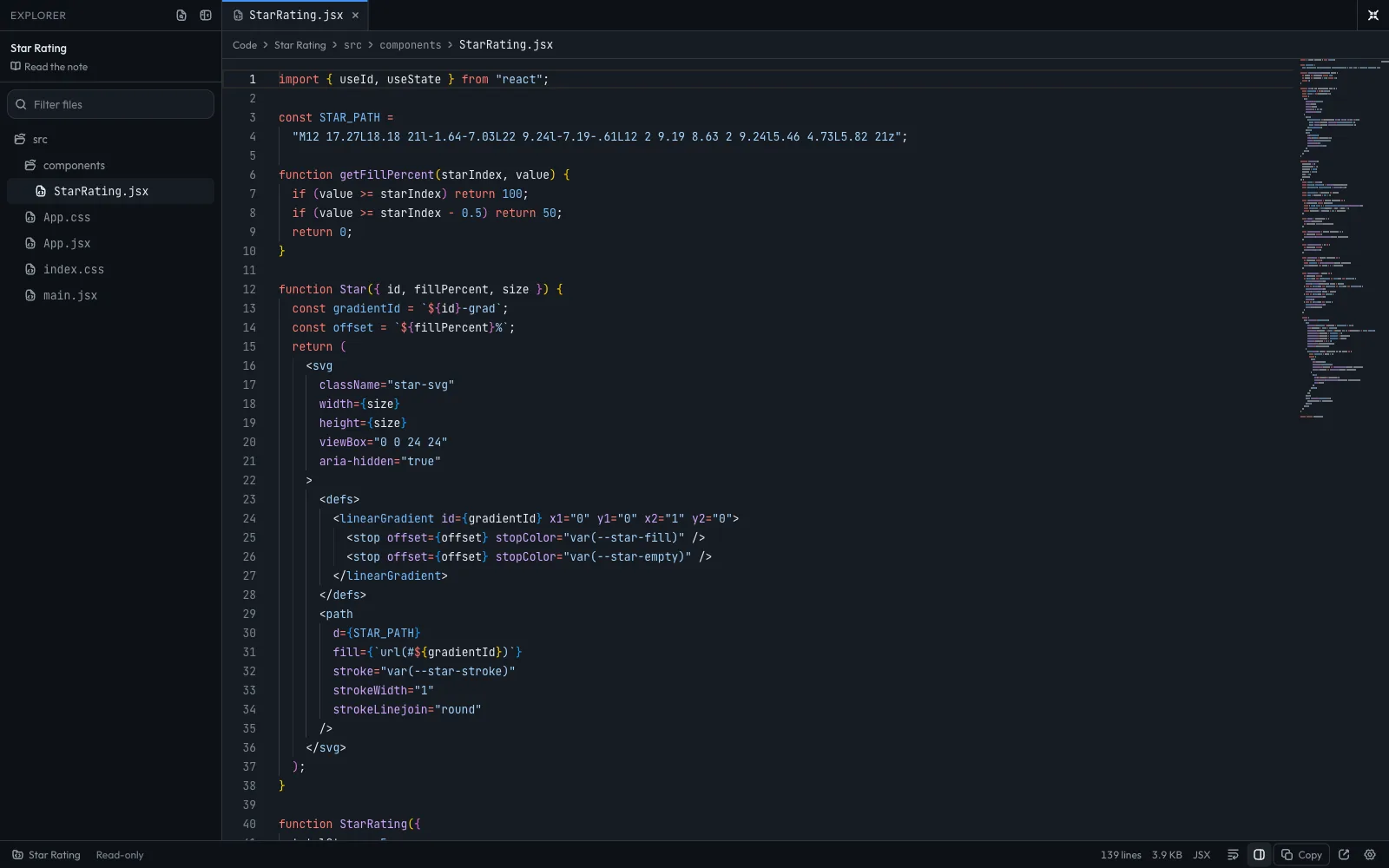
- New · Run the codeOpen the code
Read the code, then run it
Explorer, tabs, quick open and a status bar, plus a Run button: React apps open in a live preview beside the code, and the Java designs and patterns compile and run in your browser with nothing to install. Turn on Edit to change the code first.
- New · React machine codingBrowse the problems
Frontend rounds, solved and explained
32 problems from a toast and a modal up to a Trello board and a real-time chat. Each one starts with the problem statement, explains the solution, and runs right here in a live preview.
- New · SQLTry a problem
Run the SQL, then check it
Every SQL practice problem has a Try it box. Your query runs on the problem's own tables in the browser, and Check answer tells you what is off.
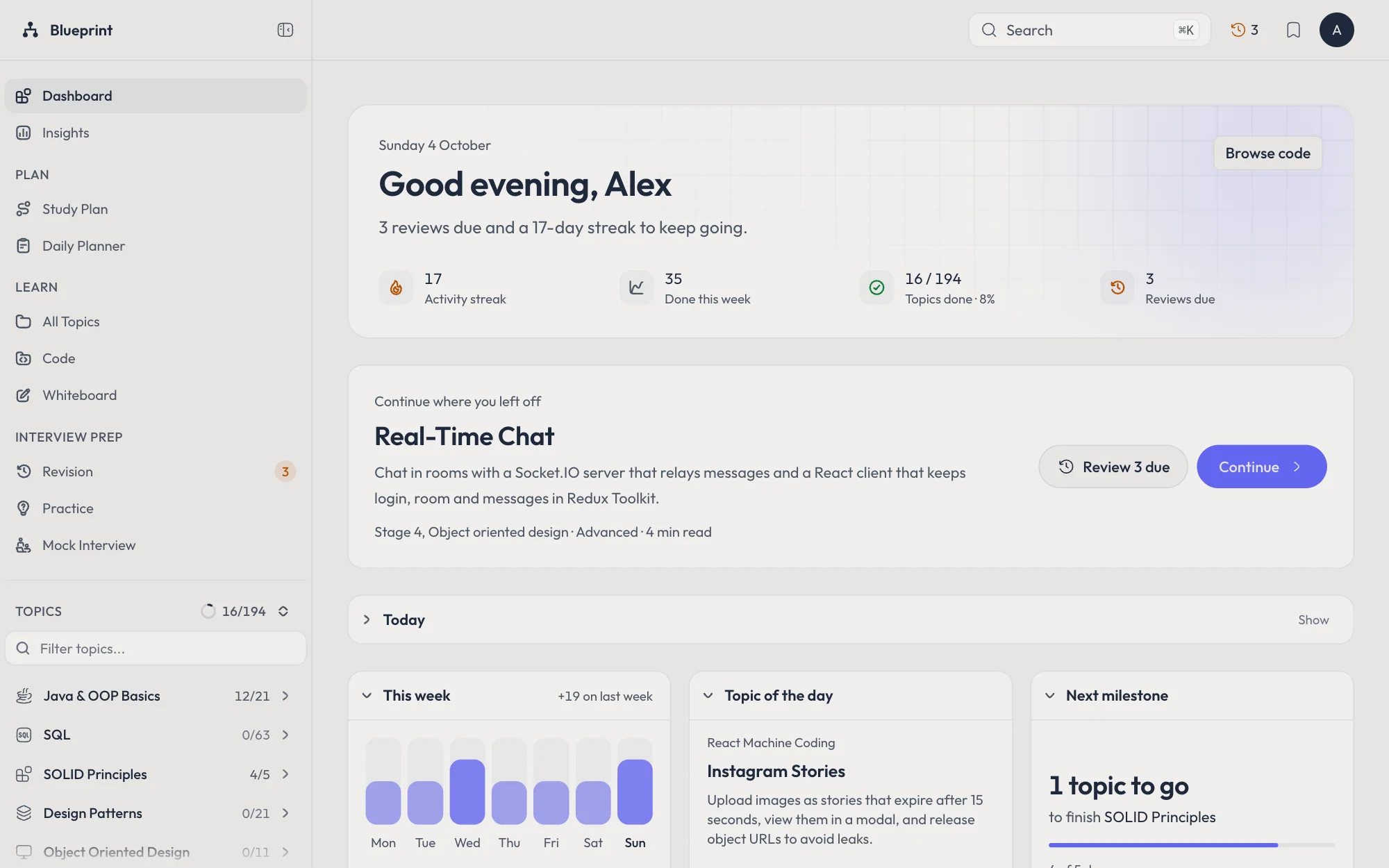
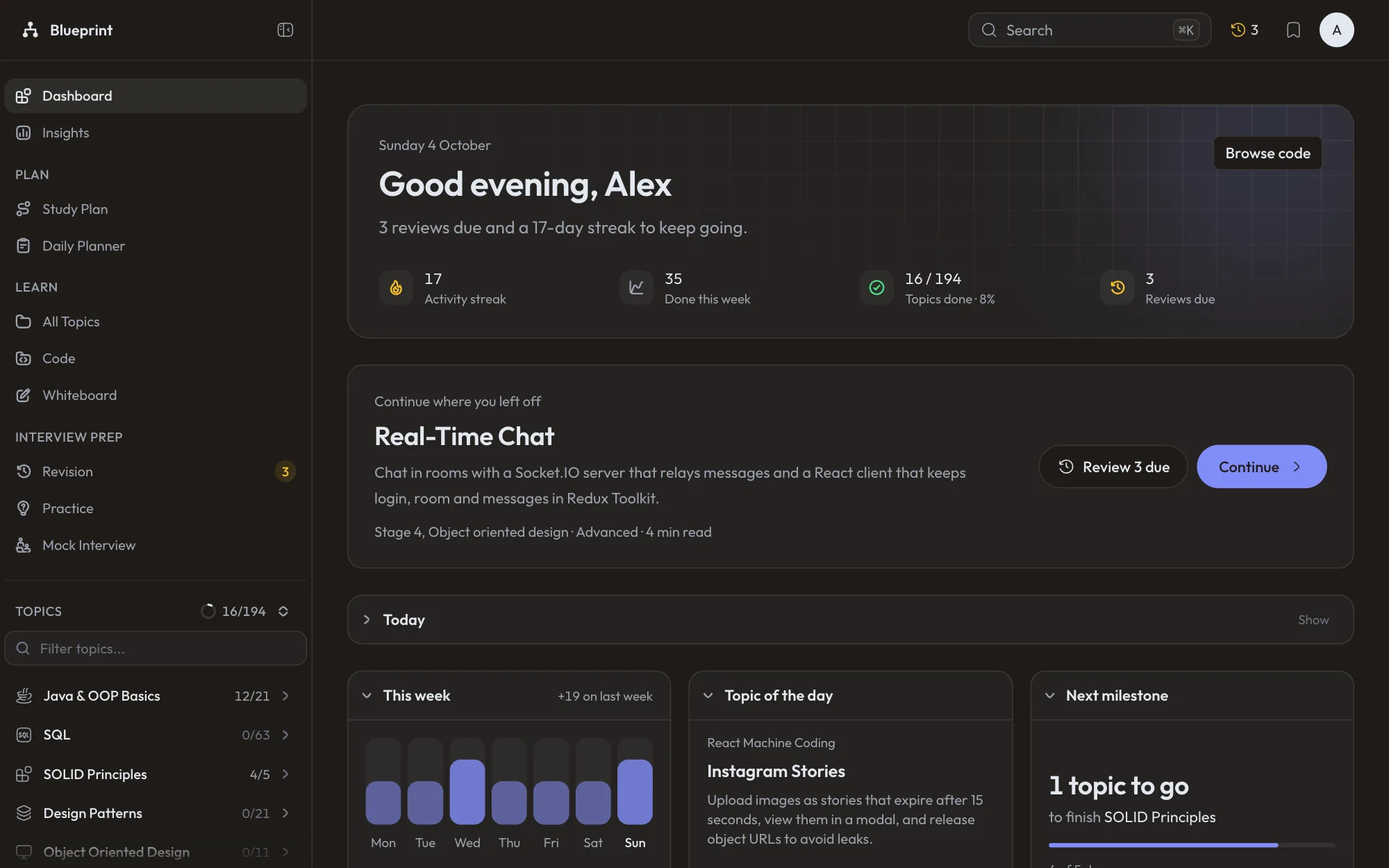
- New · DashboardOpen the dashboard
A dashboard that greets you
It opens with a greeting by name, one list for the day's plan topics and tasks, and your headline numbers. Below sit your week day by day, a topic of the day and the track you are closest to finishing. The year heatmap and readiness live in Insights.
- New · InsightsOpen Insights
See where you stand
Streaks, weekly activity, practice scores and the revision ladder, built from what you already do. Weak tags come first, with what is holding each one back.
- New · CompareFind a project
See exactly what the refactor changed
Patterns and SOLID topics with before and after code open in a side by side diff, file by file, with unchanged lines folded away. Press ⌥D in the editor.
- New · Reading
Read it your way
Set the text size, line width and line spacing of every note. Hover a linked topic to see what it covers and whether you have read it. On a phone, the main actions follow you down the page.
- New · ProgressBrowse the topics
Finish one, start the next
Complete a topic and open the next in one press, or step along the path with J and K. Already know a track? Mark it all done at once, with undo.
- New · GoalsSet a goal
A goal for the day or the week
Pick a number of topics or minutes of reading and watch the ring fill. The revision queue shows how many reviews land on each of the next fourteen days.
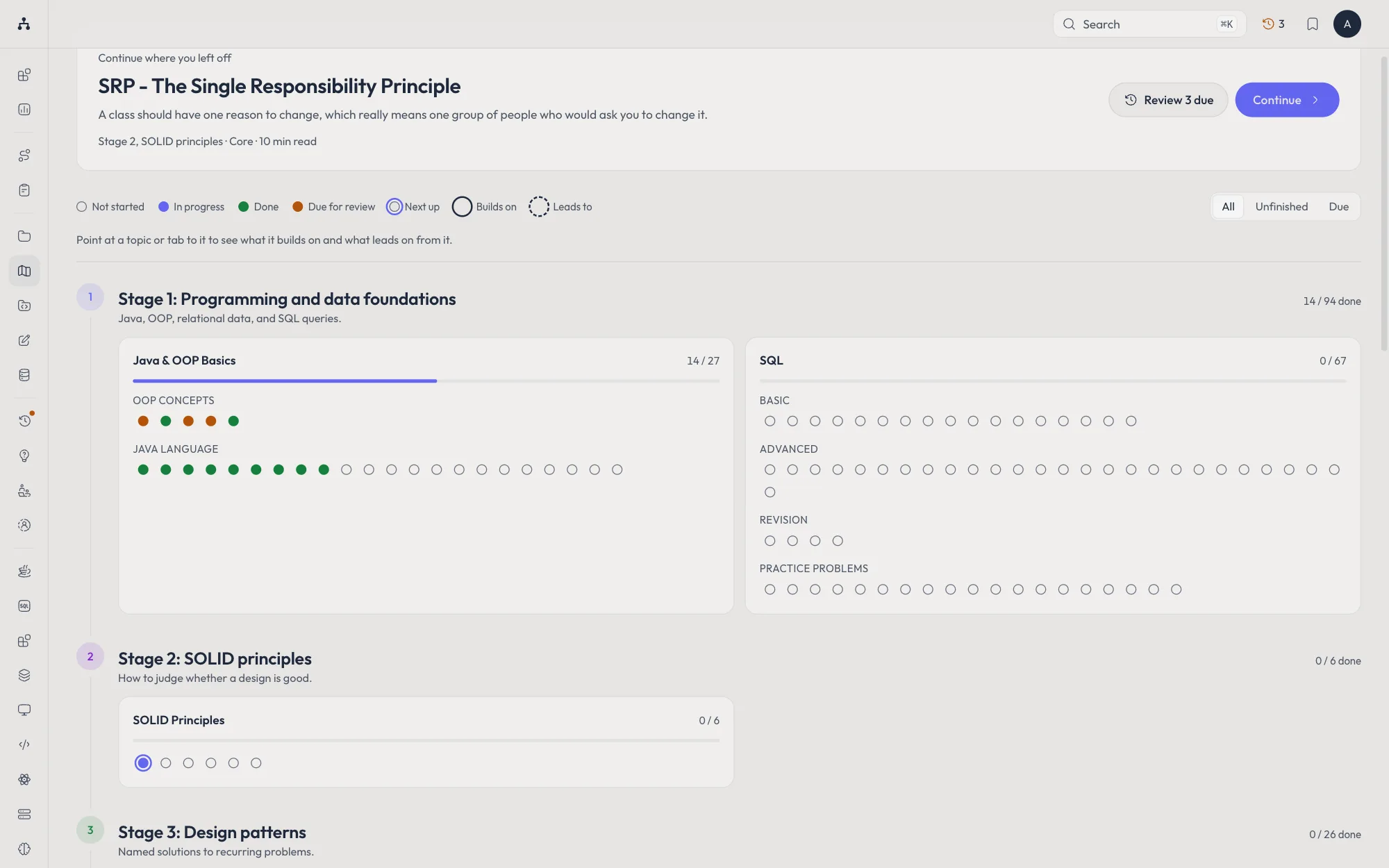
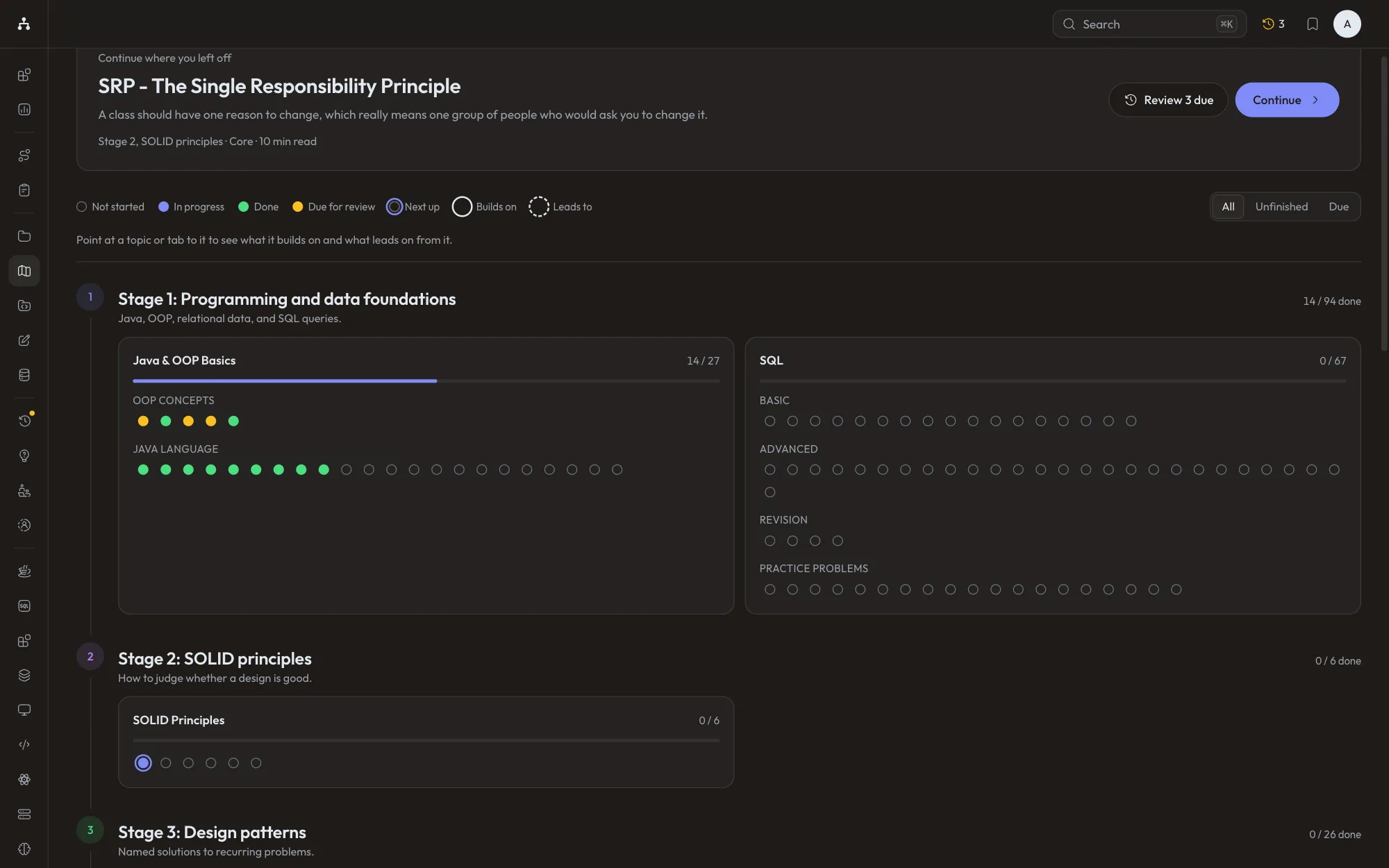
- New · Learning mapOpen the map
The whole path on one page
Every topic in all eight stages, coloured by whether you have read it or have it due. Point at one to see what it builds on, and each note tells you what to read first.
- New · PracticePractise what is due
Every card on its own schedule
Rate each question Missed, Partly, Got it or Easy. The FSRS scheduler brings it back just before you would forget, at the recall target you pick, and Insights lists the cards you miss most.
- New · Story bankOpen the story bank
Stories ready for behavioural rounds
Write your stories as Situation, Task, Action and Result, see which common questions still have no story, and tell them out loud against a timer.
- New · SQLOpen the sandbox
A SQL sandbox to try anything
Query a small shop database in the browser, browse its tables, save the queries you like and reset it whenever you want a clean start.
- New · Reading
Listen, share and see what is left
Press L and the browser reads the note aloud. Share a link to any passage you select, and watch the minutes left as you read.
- New · ListsOpen bookmarks
Lists for every goal
Group topics into lists such as Amazon loop or Weak areas, and save any topic to one straight from its page.
- New · ReviewStart today's review
One review for the whole day
Due cards, topics to recall, one story out loud and today's plan and planner tasks, in one pass with one progress bar. Turn off any step you want to skip.
- New · Notes
Write beside what you read
Press N on any topic and your note and highlights open in a panel next to the text. Type [[ to link another topic, and each topic lists the notes that link to it.
- New · InsightsOpen Insights
Share how far you have come
Get a read-only link to a card with your topics done, streak and progress per track, or download it as an image. Stop sharing and the link stops working.
- New · Mock interviewStart a mock interview
A friend plays the interviewer
Send a link and your partner follows your clock, reads the reference answer and scores you on their own screen. No account needed on their side.
- New · PracticeOpen the story bank
Hear how you sound
Record each interview phase or a story out loud, then play it back. Stories show how long each STAR part took against a suggested split. Recordings never leave your browser.
- New · WhiteboardTry it
Draw a design from memory
The reference stays hidden while you draw. Then check your board to see which parts you got and which ones to study.
- New · PracticeStart a round
Back of the envelope, on demand
Fresh storage, traffic, bandwidth and server problems every round, graded by how close you got, with the working shown and a cheat sheet of numbers worth knowing.
- New · NotesTry it on SRP
Turn a sentence into a card
Select a few words and press Fill in. The sentence becomes a practice card with those words blanked out.
- New · SidebarPin your tracks
A sidebar that stays out of the way
Pin the tracks you are studying and only they show under Topics, each opening to its sections. Filter by To read, In progress, Due or Saved, and hide the pages you never use.
How it works
Three steps, then repeat.
- 01
Pick a plan
Run the setup once. After that, the plan opens on today's tasks and what is up next.
- 02
Study a little each day
Open today's topic, read it through, try the code, and mark it complete.
- 03
Revise and practice
Work through what is due for review by answering its interview questions.
Themes
Make it yours.
17 color themes, each in light and dark. Pick one here and this page changes with it; the app opens in it too. Fonts for reading and for code are in Settings.
How a topic reads
Bad code, then the fix, side by side.
Straight from the repo: SRP - The Single Responsibility Principle. The note explains why the first version breaks down, and the diagram shows the shape that replaces it.
Beforeone class, three reasons to change
public class Invoice { private double amount; public Invoice(double amount) { this.amount = amount; } // Additional Functionality public void generateInvoice() { System.out.println("Invoice generated & printed for amount " + amount); } // this should be different class public void saveToDatabase() { System.out.println("Saving invoice to database"); } // this should be different class public void sendEmailNotification() { System.out.println("Sending email notification for invoice"); }}Aftereach class has one job
public class Invoice { private double amount; public Invoice(double amount) { this.amount = amount; } // Additional Functionality public void generateInvoice() { System.out.println("Invoice generated & printed for amount " + amount); }}public class EmailService { public void sendEmailNotification() { System.out.println("Sending email notification for invoice"); }}The path
8 stages, one order.
Every stage assumes the one before it. Start at the top, or jump straight to the one you need.
- 1Programming and data foundations94Java, OOP, relational data, and SQL queries.
- 2SOLID principles6How to judge whether a design is good.
- 3Design patterns26Named solutions to recurring problems.
- 4Object oriented design51Design one component end to end, as Java classes or a React UI.
- 5Backend and system design36Build an API from its request boundary to storage, then learn the distributed building blocks and full systems.
- 6Forward deployed engineering19Build production systems around an LLM.
- 7Book notes15Chapter-by-chapter notes from the books.
- 8Deep dives10Long-form write-ups, and a series on behavioural interviews.
01Programming and data foundations
90 more02SOLID principles
- SRP - The Single Responsibility Principle
- OCP - The Open/Closed Principle
- LSP - The Liskov Substitution Principle
- Interface Segregation Principle (ISP)
03Design patterns
22 more04Object oriented design
- Parking Lot System Design
- Low-Level Design (LLD): Parking Lot System
- Toast Notifications
- Design a Vending Machine
05Backend and system design
- Routing: How a Request Finds Its Code
- How to Approach a System Design Interview
- Serialization and Deserialization: Data Crossing a Boundary
- Back of the Envelope Estimation
06Forward deployed engineering
- Introduction to Forward Deployed Engineering and GenAI Foundations
- How Large Language Models Work
- Talking to an LLM from Your Application
- Building a Chatbot: Context, Memory, Streaming and Hallucinations
07Book notes
- Trade-Offs in Data Systems Architecture
- Defining Nonfunctional Requirements
- Data Models and Query Languages
- Storage and Retrieval
08Deep dives
- Building a Clean, Domain-Driven Backend
- The CAP Theorem
- Why HTTP Finally Got a QUERY Method (After 16 Years)
- The Complete Authentication Guide: From Sessions to JWT and OAuth
Start now
No account needed to start.
Progress is saved in your browser from the first click. Create a free account when you want it on your other devices; what you have done so far comes with you.